

Integrate and synchronize Google Calendar in Outlook – here's how it works
Over five years ago, synchronizing the Google Calendar with Outlook happened automatically. This is no longer the case today. Google has discontinued automatic synchronization with Outlook. But don’t worry; you can manually integrate the Google Calendar into the Outlook calendar instead. Do you want to synchronize your Google Calendar with Outlook? In this blog post, you’ll learn how easy it is to do so.
How to Import Your Google Calendar into Outlook
Before you integrate your Google Calendar into Outlook, here is a tip: After synchronization, use only one calendar. In this case, after importing your Google Calendar data, you would only use your Outlook calendar. This way, you maintain an overview and avoid getting confused between the calendars.
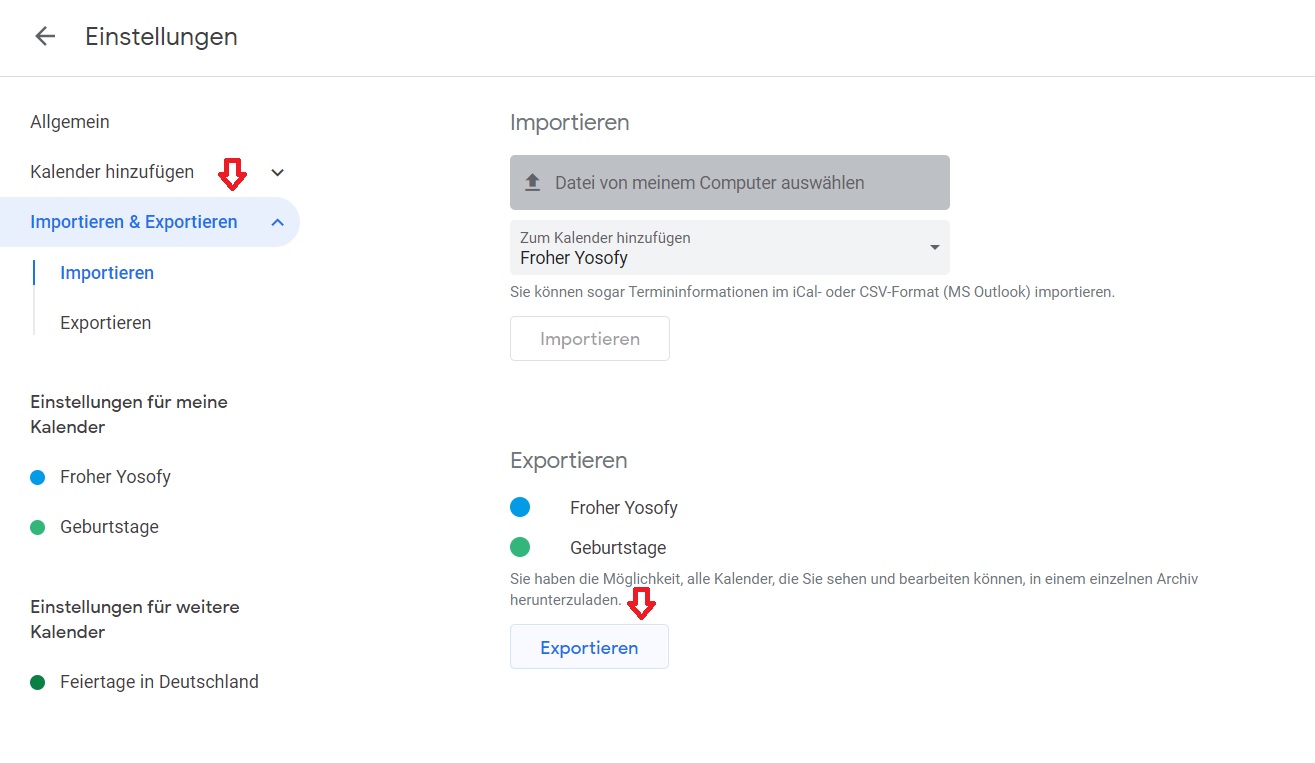
Step 1: Open your Google Calendar and go to Settings.
Step 2: Click on the Import/Export tab and select the calendar to export. Then click Export. The download of your Google Calendar file will start automatically. Choose a suitable location for it that you can easily find later.
Step 3: Start Outlook.
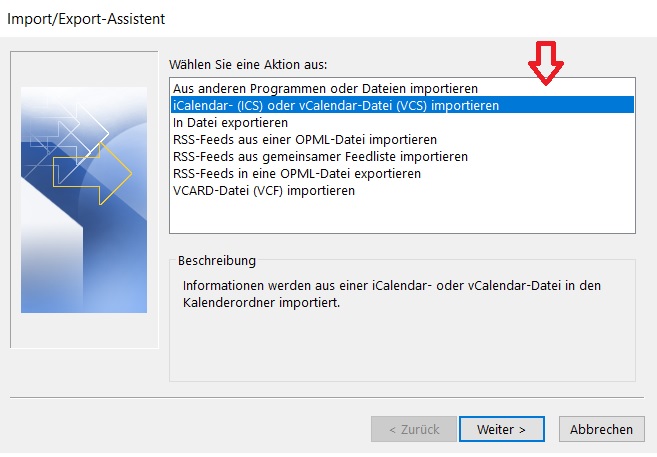
Step 4: Click on File -> Open & Export and then click Import / Export. The Outlook Import/Export Wizard will open. Now select the option to Import an iCalendar- (ICS) or vCalendar- file (VCS) and confirm with Next.
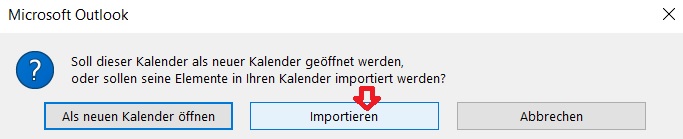
Step 5: In the final step, you can choose whether you want to create a new Outlook calendar with your Google Calendar appointments or integrate them into an existing Outlook calendar. If you prefer the latter, click the Import field here.
Your Google calendar will now be integrated into your Outlook, and the synchronization has been completed successfully.
I hope this article helped you synchronize your Google Calendar with Outlook. Do you prefer Google or Outlook?
See you soon!
With Lookeen, you can find any email in Outlook in seconds!
Search your Outlook in real time with Lookeen and find all your Google appointments again!


Comments