

Outlook tips and tutorials
Step-by-step guides for Microsoft Outlook: searching and finding emails, keeping the inbox in order, calendars, attachments and fixes for the most common problems.
 Outlook 2016 Search is Not WorkingOutlook 2016 has been on the market for two years now. Even though the latest version of Microsoft's email client improves upon its predecessors in many ways, users…
 Search Outlook ItemsOutlook is the central hub for many people in their daily work. Corporate communication has changed noticeably over the past decade. When internal emails, attachments, calendar entries, and…
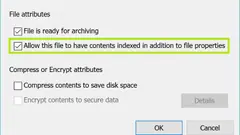 How To Fix Outlook 2013 Search ProblemsHas your Outlook 2013 search suddenly stopped working? You keep typing different words and phrases, but it does not make a difference. Everything you type in Outlook search…
 What to do When Your Contacts are Missing in OutlookYour contacts list is possibly one of the most important aspects of Outlook. If you tend to leave your contact list empty and allow the auto complete cache…
 How to Create an Email Signature in Outlook 2016If you’re here, you’re no stranger to the Outlook email signature. It’s probably been around since the first Outlook itself. It is a part of your identity, especially…
 How to Clear the Auto Complete Cache in OutlookThe auto complete cache in Outlook is a feature that’s used in Outlook 2003, 2007, and 2010. What is it? The Outlook feature, technically called ‘Email Address Auto…
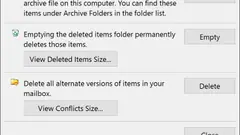 How to Find your Mailbox Size and Exchange QuotaWhen working with Outlook and using an Exchange account, you may be curious to know what the size of your current inbox is, and what your mailbox size…
 How to Add All Senders and Recipients as ContactsNot everybody keeps his or her contact lists up to date. If you are one of those people then you probably allow the Auto Complete Cache to just…
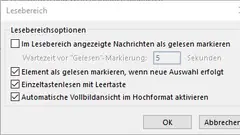 Save Time with Single-Key ReadingMicrosoft Outlook is a great email program and can be a big help in your daily work if you know how to use it. If you work with…