

Tutorials
All step-by-step guides in one place: Outlook, Windows, Gmail and Lookeen itself.
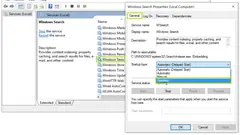 How To Use Windows Search ServiceThe Windows Search Service is possibly one of the most used functions on your computer. It indexes content, it caches property, and then it provides search results for…
 How to Fix Windows XP Search ProblemsIf some of you PC users are still running Windows XP then it’s a given that you’ll run into problems with your desktop search. Most Windows versions don’t…
 Windows Search is not working – Here's what you can do!If you do not receive any results for your search query and Windows shows no other response when you press the Enter key, there can be various reasons…
 How To Search Public Folders In OutlookLooking for a way to quickly and effectively search Public Folders? We can help!
 How to Remove Add-ins that Slow Down OutlookOutlook in all of its versions already comes packed with a multitude of add ins, and you can activate and deactivate them as you please.
 What To Do When Windows Search Runs Too SlowNo matter the version of Windows you are using, you may have some problems with Windows Search running too slow or possibly not running at all. Before jumping…
 How to Change the Default Font and Size in OutlookInstalling Outlook is easy. When you open it up for the first time the program uses default settings for most everything. The default font settings will have the…
 How easily you can activate the Windows SearchSometimes, after a fresh installation of Windows, the default Windows search no longer works. Or you have disabled it yourself and no longer know where to activate the…
 How To Search All Folders In OutlookOutlook is probably the one thing you have open and running on your desktop all day while you are working. You need it constantly, and you need to…