

Google Desktop Search: The Most Important Facts
Who doesn’t know this: Even though you’ve devised a sophisticated filing system, you spend unnecessary time every day searching for emails, Office documents, images, or other files. The digital age has made many things easier. Data that would have filled warehouse-sized storage media with carriers a few decades ago now fits without any problems onto a single hard drive. One of the downsides of digitization is the almost unmanageable amount of data that must be stored daily, only to be accessed again in seconds. The standard Windows search is no great help in tackling this problem. It takes far too long to process search queries. The results are far too inaccurate.
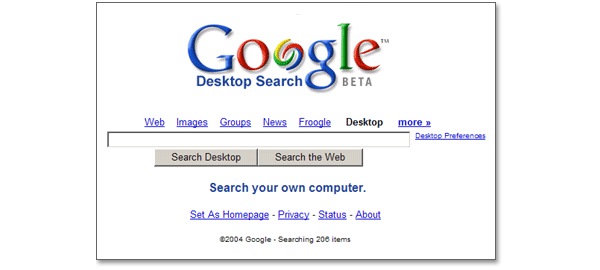
This represents an unsatisfactory situation, especially for companies, given that data volumes are significantly larger and time is a crucial factor in business. Developers at Google must have had similar thoughts when they developed Google Desktop, one of the world’s most well-known desktop search tools.

The Best Alternative to Google Desktop Search – Learn More About It Here!
What You Should Know About Google Desktop Search
When Google released the first version of Google Desktop on October 14, 2004, no one expected the tool to achieve such resounding success. Yet the need for a desktop search had long existed. It was an era of digital revolution, where MP3 files were replacing most CD collections, emails were replacing conventional letter correspondence, and companies without their own IT infrastructure were hardly conceivable anymore. Most users expected an innovative program like Google Desktop Search, which helped bring better control, to ease their daily work. The simple access via the search’s desktop interface was particularly seen as a great opportunity to quickly access your data.
When Google Desktop Search was discontinued on September 14, 2011, well over 10 million people were using the program. Google cited changed user behavior in data storage as the reason for discontinuation. More and more users were storing their data in the cloud. However, a clear and efficient search is precisely necessary in the cloud. It was therefore speculated that continuing to develop the software would no longer have been worthwhile for Google, and that they preferred to turn to more innovative projects instead. To this day, rumors persist that Google Desktop Search could make a comeback. However, Google Desktop Search was far from perfect and offered only inadequate features compared to modern desktop search tools.
| Features | Lookeen Desktop Search | Google Desktop Search | | Interface | Standalone software, integrated into Outlook | Browser-based | | Search filters | More than 25 filters and categories | Not available | | File indexing | Entire file | Only the first 10,000 characters | | Index size | Unlimited number of files | Up to 10,000 files | | Email attachments | All attachments in Outlook | Not supported | | Preview | Full preview for emails, Office documents, PDFs, images, and more | Not supported | | Document editing | All text documents, e.g., .docx, .xlsx, .txt | Not supported | | Technical support | Free technical support within 3 business days | No longer available | | Data privacy and security | Data remains on the computer and is not shared | Records your search queries and stores your index in the cache | | Software | Regular updates | Discontinued |
An Efficient and Easy-to-Use Alternative
The requirements for desktop search tools are naturally higher today. Nevertheless, an expanded scope must not come at the expense of user-friendly operability. Lookeen Desktop Search combines both criteria and integrates seamlessly into the Windows environment, enabling a search behavior similar to that of a common online search engine. The inadequate display of search results in Google Desktop Search has often been criticized.An integrated quick view in the search results window provides a preview of the files in Lookeen, and the results are also color-highlighted. Like Google Desktop Search, Lookeen can be started by pressing the Ctrl key twice, regardless of which program is currently being used. Through real-time indexing and search-as-you-type functionality, a list of results is generated almost instantly after entering the search term. Advanced search fields and the intuitively operable Timeline make it easier to narrow down results, so that even with large amounts of data, individual files in Microsoft® Outlook, Microsoft® Exchange Server, hard drives, file servers, or cloud folders can be quickly located. Additionally, Lookeen works quickly and without problems in virtual server and desktop environments.



Comments