

Outlook: Have text read aloud – here's how
The “Read Aloud” command in Microsoft Office 365 reads text elements aloud in Word, Excel, PowerPoint, OneNote, and Outlook. This feature promotes accessibility for visually impaired individuals. However, people without disabilities can also benefit from it. Discover what these advantages are and how you can have text read aloud in Outlook in this blog post.
Outlook: Let Texts Be Read Aloud – The Benefits
1. Over 6 million people in Germany have a reading and writing disability. A feature like the “Read Aloud” function in Outlook can help these individuals develop a deeper understanding of language and texts. Having texts or emails read aloud also supports auditory learning.
2. Many companies today have moved away from paper. Instead of sending documents by mail, emails are sent. The speech output feature from Microsoft is particularly well-suited for the older generation. It simplifies the digital experience for older adults.
3. However, even people without any visual or reading impairments can benefit from the feature: Staring at a screen all day is tiring, so why not lean back and comfortably have your emails for the day read aloud to you with a cup of coffee?
With the Lookeen search, you are guaranteed to find every file in Outlook again!
How to Set Up the “Read Aloud” Command in Outlook
Want to add the “Read Aloud” function in Outlook? Then follow this step-by-step guide, which you can use for all newer Outlook versions.
Step 1: Open Outlook.
Step 2: Click on File and then on Options.
Step 3: On the left, click on the Quick Access Toolbar field.
Step 4: Under the Choose commands from tab, click on the Commands not in the Ribbon field.
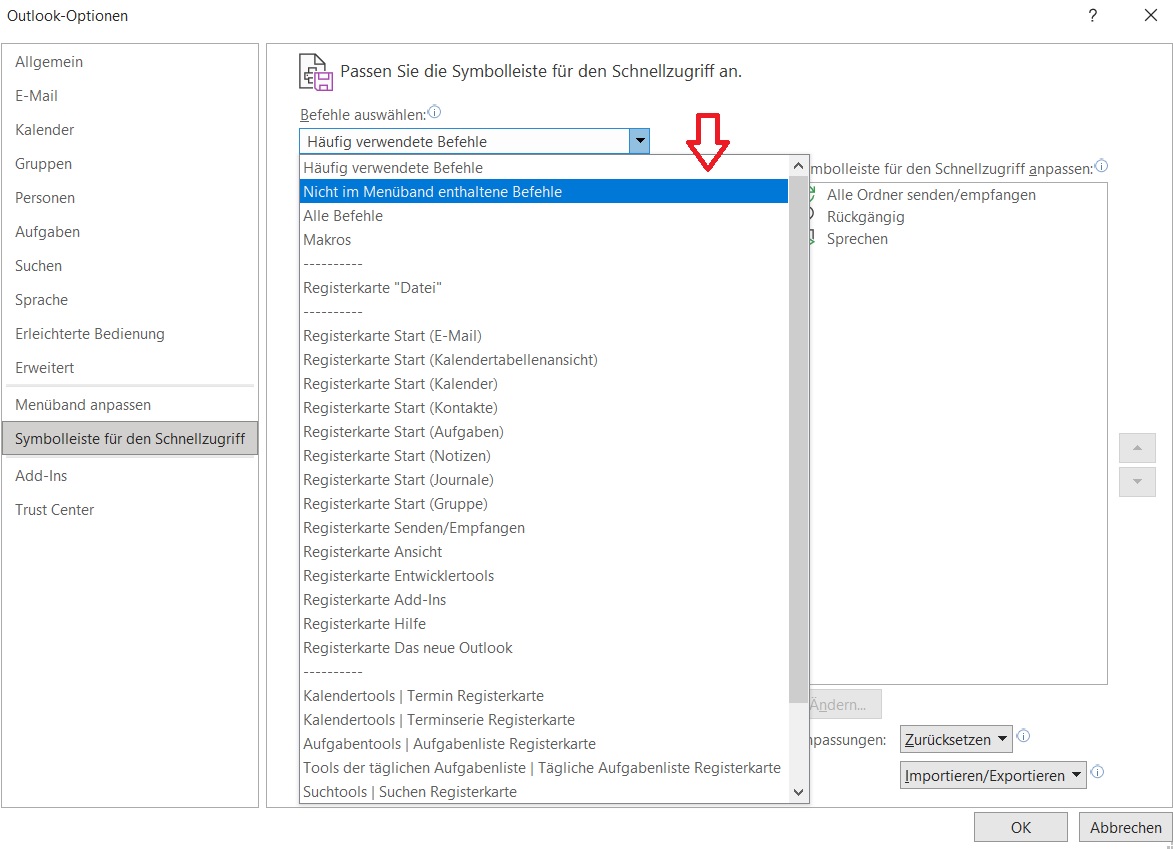
Step 5: Search for the Read Aloud feature in the command list. Then click Add and confirm with OK.
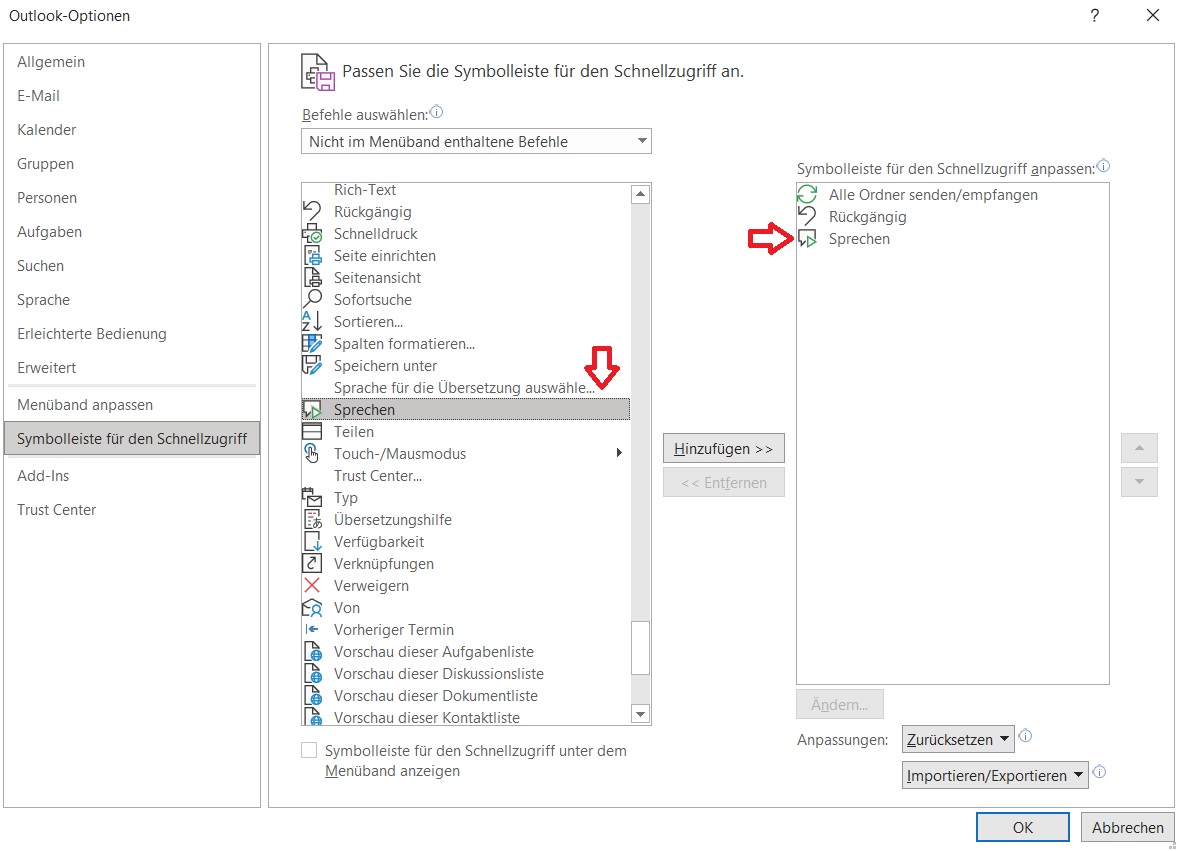
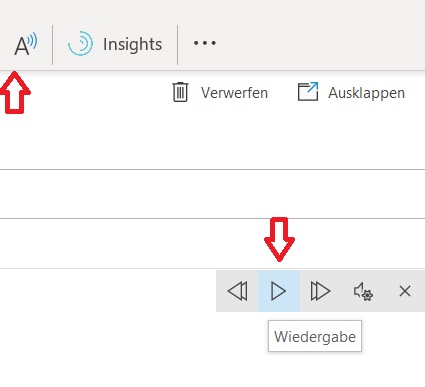
Step 6: Highlight the text elements you want to have read aloud. Click on the reading icon at the top of the toolbar (see image) and then click Play. You can now have any text in Outlook read aloud to you.
As you can see, the speech output feature in Outlook is definitely worth it! Can you think of any other benefits?
See you soon!


Comments