

Windows tips and tutorials
Guides for Windows 10 and 11: finding files, using and repairing Windows Search, the search index, keyboard shortcuts and everyday tasks.
 What To Do When Windows Search Runs Too SlowNo matter the version of Windows you are using, you may have some problems with Windows Search running too slow or possibly not running at all. Before jumping…
 How easily you can activate the Windows SearchSometimes, after a fresh installation of Windows, the default Windows search no longer works. Or you have disabled it yourself and no longer know where to activate the…
 How To Fix Windows Vista Search ProblemsIf you’re one of the remaining Vista users, I’m sure you’re familiar with Windows desktop search on Vista. It is the most common way you’ll search for files…
 When Windows 8 Search Is Too SlowWindows 8 arrived with many changes primarily aimed at the tablet market and sparked considerable controversy among customers. Many users not only complained that Microsoft had removed the…
 3 Tips To Help You Find Files FasterAdmit it – you’re well on your way to becoming a digital hoarder. Worse than that, when you go to search for documents, you can’t find a single…
 Google and Co.: Deleting Search History and Suggestions – Here's How It WorksWhen you use a search engine, frequent usage results in an increasingly large list of suggestions. These are terms you have searched for previously. Windows allows you quick…
 Become A Search Pro With These 5 Windows Search TipsDo you find yourself hoarding all of your files on your computer? Files you keep ‘just in case’ are often saved in the deep dark depths of your…
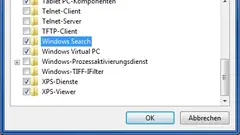 Disable Windows Search – here's howThere are several reasons why you should disable the built in Windows Search feature. For instance, Windows Search continuously indexes your data in the background to enable faster…
 How To Fix Windows 7 Desktop Search ProblemsWindows 7 does not have the best desktop search built in. This is something Windows 7 users have struggled with. You type something in, and your search results…