

Delegating Made Easy: Outlook – Assign Tasks to Contacts
Outlook has you covered: You can easily assign tasks to other people from your contacts. The delegated tasks will then appear on the respective person’s contact card.
-
Open Outlook.
-
Click on People in the menu at the bottom edge of the window.
-
You will be taken to the Contacts section.
-
Click on the contact in your contact list to whom you want to assign the task.
-
Click the More button on the ribbon. A drop-down menu will open.
-
Click on Assign Task.
-
The Untitled – Task window opens.
-
The selected contact is already entered in the To field.
-
Enter the task name in the subject line.
-
Set the start and end dates.
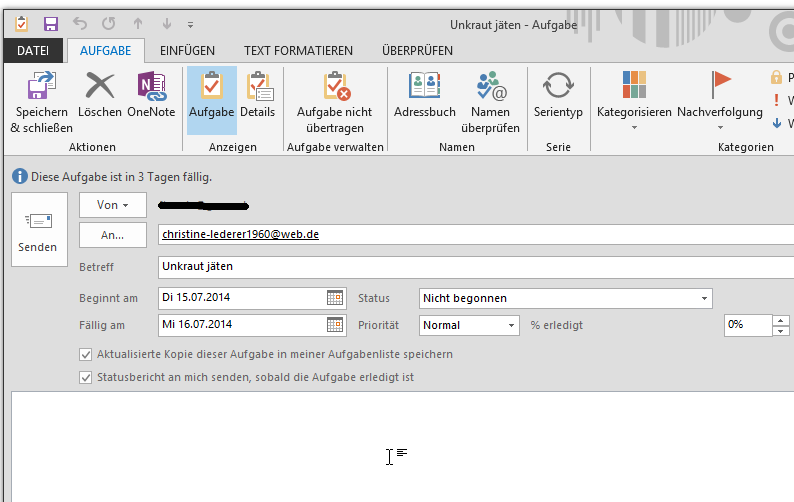
- If necessary, set additional information such as status, priority, task progress, etc.
- Write the message text. You can also add attachments as usual.
- Click Send. The delegated task will still be displayed in your task list:
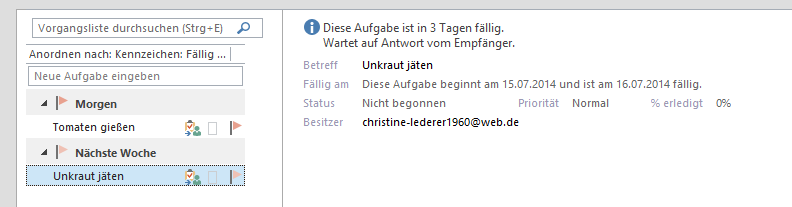 However, you can see who owns the task, meaning who is responsible for it. The
responsible person receives an email request in Outlook similar to a meeting invitation:
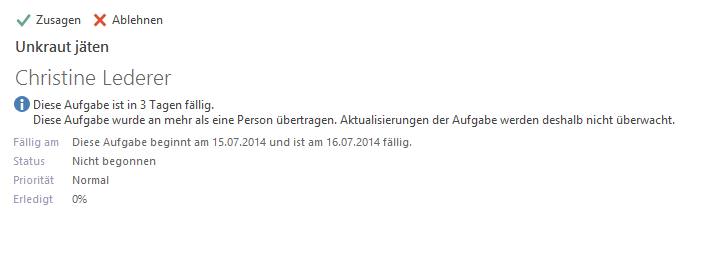 They must accept or decline it. If they accept, the task will also appear in their task list.



Comments