

Gmail: Change Password – Here's How
If you have an email account, you should change your password at regular intervals. Outlook users must even set up such password protection first. Click here for the appropriate guide on how to do this. In Gmail, however, password protection is configured automatically. Nevertheless, you should also change your password as often as possible here. This helps prevent hackers and unwanted logins. Learn how you can change your password in Gmail in this article.
How to change your Gmail password
Step 1: Click here and log in with your Google account now.
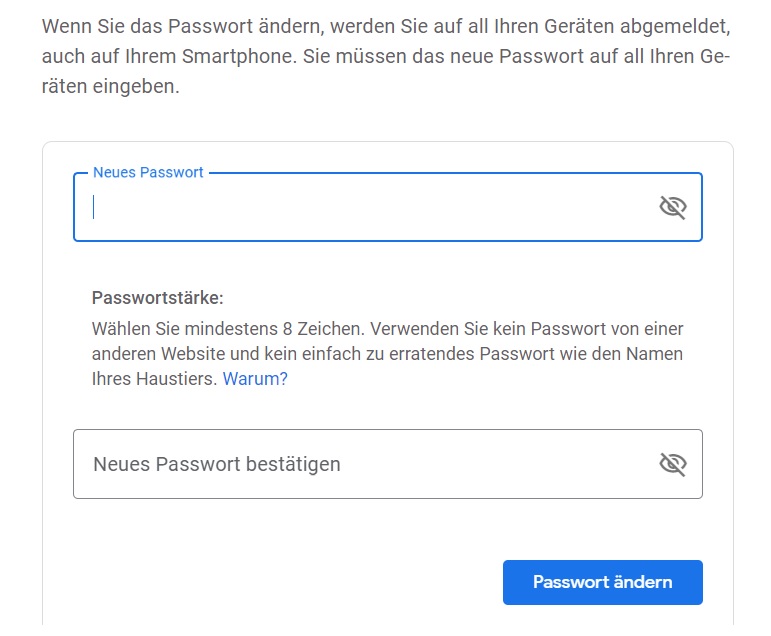
Step 2: You can now automatically set a new password.
Forgot your Gmail password?
Forgot your old password? Then use the following step-by-step guide.
Step 1: Click here to enter your Google account email address now.
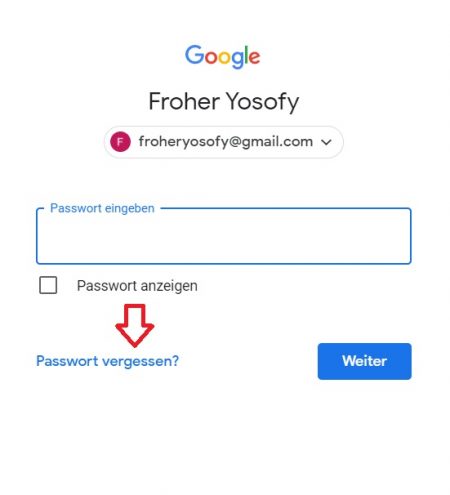
Step 2: In the next window, you will see the Forgot password field. Click on it and follow the on-screen instructions. Google often requires identity verification before you can set a new password.
Learn how to set up your Gmail account in Outlook in this blog post.
I hope this article has helped you change your Gmail password.
See you soon!


Comments