Skip to contentBusiness & Productivity Enterprise Search – a Cure for the Modern Brain Drain? Part 2In my first post on the boomer brain drain, I wrote about the enterprise search problem – all of the information locked up in Boomer brains walking out…Business & Productivity
 Finding What You Need: Desktop Search in Corporate NetworksFinding what you need: desktop search in corporate networksLookeen Features
 Lookeen: Search on the Exchange Server Made EasyIn times of globalization, decentralized work is becoming increasingly important. The internet, laptops and many programs make it possible for employees no longer to have to work in…Business & Productivity
 Windows: Faster search using the search index – here's howIndexing files accelerates and improves search operations within Windows Search. The Windows search index includes libraries, as well as offline data and emails. System and program files are…Industry Analysis
 Lookeen Free – the free desktop search for WindowsAfter successfully releasing our latest upgrade, Lookeen 10, in March, we are now launching Lookeen Free: the fast, efficient, and free desktop search tool for all Windows users…Lookeen Features
 Lookeen Free – Professional Search for the Home UserNeed more advanced search options? Learn more about Lookeen for your business.Lookeen
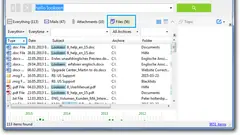 How To Search by File Type with LookeenThere are several ways you can isolate file types in Lookeen. Today I will explain the three methods we use most at the office.Business & Productivity
 Public Folders and the Search for FilesNo matter how much Microsoft resisted – public folders have remained. Although they were changed with the release of Office version 2013, they were not abandoned. This is…Tutorials
 The Desktop Search in Windows 7One of the most frequently used features in Windows is the search function – with the help of the Desktop Search, you can find and locate programs, folders…

