

Patch Day: Attackers target Windows 7 to 11 – here's how to protect yourself
On September 13, 2022, Windows released a new update on its September patch day. A patch day is the day when Windows makes new software updates available. In this context, Windows pointed out a security vulnerability. Potential attackers would have had increased chances of gaining unauthorized user rights for Windows computers without the update. In the following blog post, you will learn how best to protect yourself now and what it entails.
Attacks on Windows are already underway
On September 13, 2022 (the second Tuesday of the month), Windows released a new update. This update is intended to fix 63 vulnerabilities, including 5 high-severity security risks. Detailed information can be found here.
Two of the vulnerabilities were publicly known. Attackers apparently exploited this: The vulnerability CVE-2022-37969 in the Common Log File System driver is already being exploited. In a typical scenario, a logged-in user opens a specially crafted file. This contains malicious code that executes with system privileges. Four security companies reported the flaw to Microsoft, which suggests somewhat broader attacks. The flaw (CVE-2022-37969) was also classified by Microsoft as highly critical. Windows 7 through Windows 11, as well as some Windows Server versions, are affected by the vulnerability in the Common Log File System (CLFS). In the worst-case scenario, attackers can gain unauthorized system privileges and thereby take complete control of Windows PCs.
The second publicly known flaw (CVE-2022-23960) affects only Windows 11 on the ARM64 architecture. With considerable effort, attackers could execute a side-channel attack (Spectre-BHB) and thereby gain unauthorized access to information. Here, the security risk was classified by Microsoft as “medium”.
Lookeen offers you a secure alternative to Windows search for your files. Click here!
How to protect yourself
Nevertheless, you should no longer wait and protect yourself now. To do so, follow these steps:
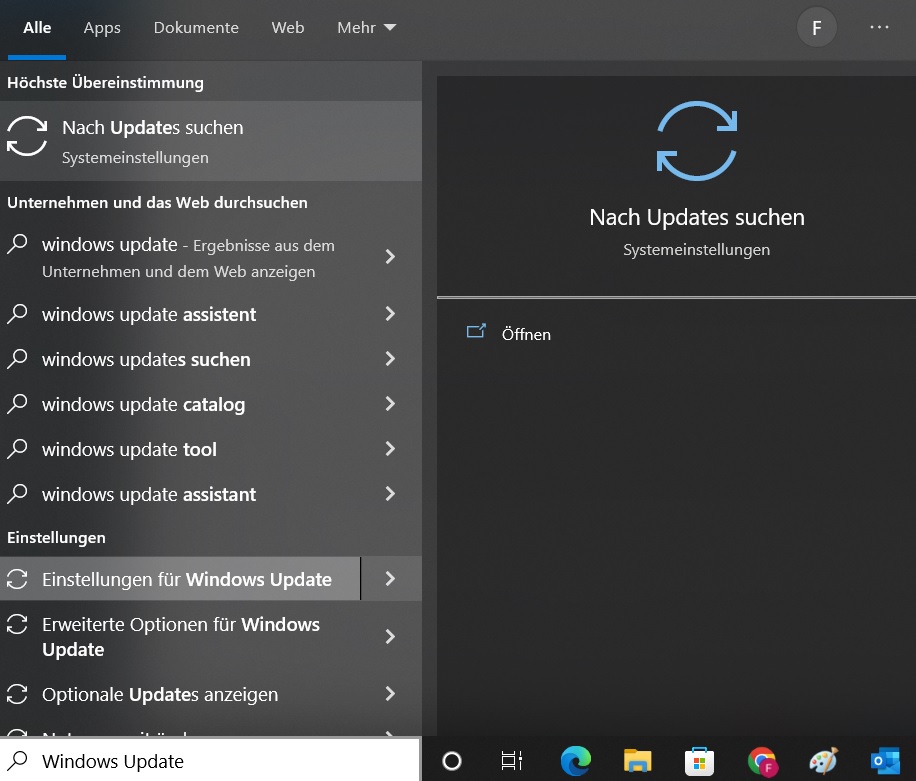
Step 1: Search for Windows updates on your PC. You can find them in the system settings. Alternatively, you can simply type Windows Update into your Windows search and open the corresponding field.
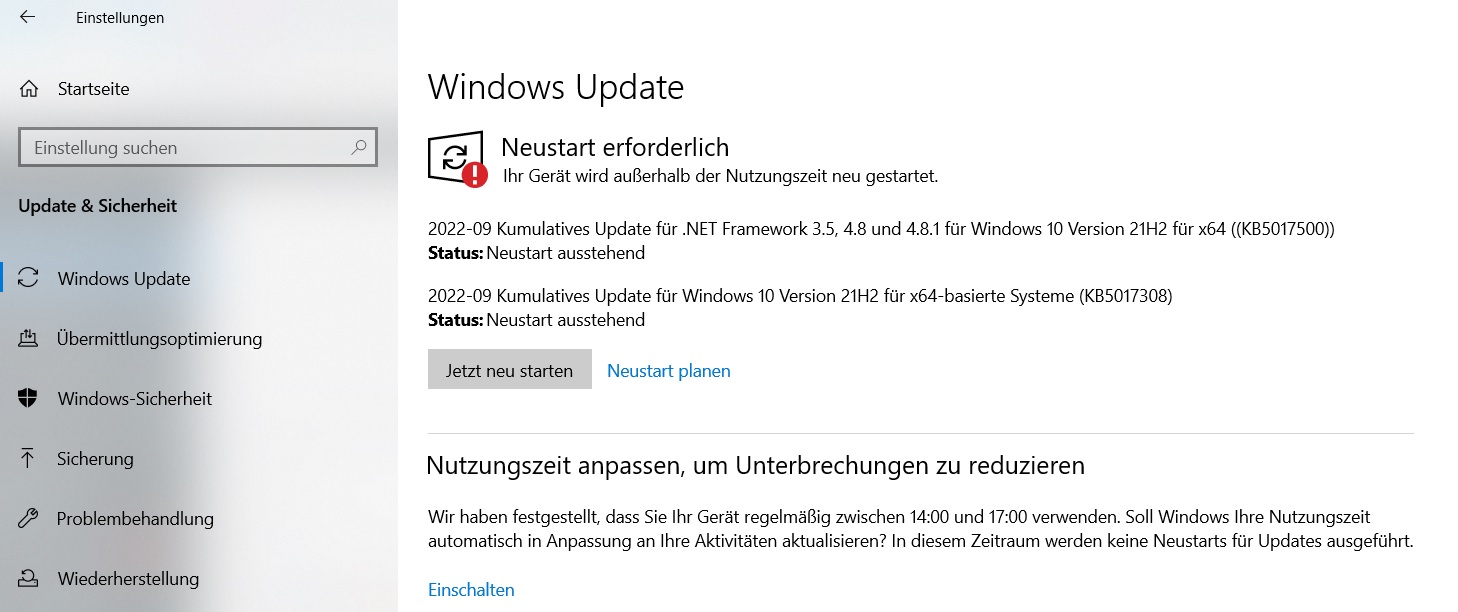
Step 2: You will now see the September Patchday updates displayed. Simply click Restart now. Windows will then automatically install the new updates and patch the security vulnerabilities on your PC.
I hope this article helped you protect your PC optimally. See you soon!


Comments