

After Windows 10 Update: Outlook Login No Longer Works
Is your Outlook simply not working after your May update of Windows 10? Are parts of your emails disappearing or is the Error Code 8008030 appearing? Microsoft is already aware of this issue. Find out what you can do now in this blog post.
Microsoft: Restart your PC
The Microsoft support page advises you to restart your PC in this case. According to Microsoft, the problems should no longer be present after the restart.
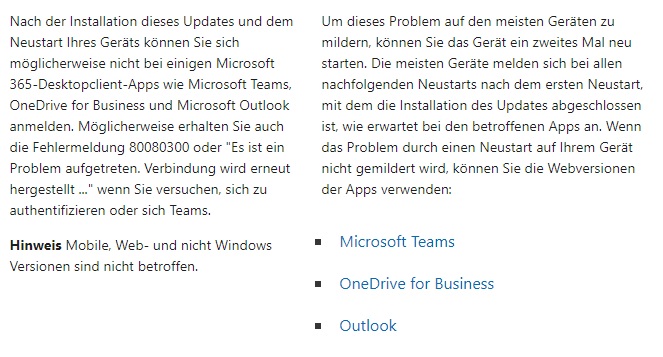
If the problems persist after restarting your PC, you can use the tips from the following blog article:
Outlook no longer starts – here’s how to fix it!
Find your Outlook emails easily and quickly with Lookeen in seconds!
Update your Windows version
The error code 8008030 refers to Windows 10 version 1909, which was already released in November 2019. Therefore, it makes perfect sense to switch to a newer Windows 10 version. Furthermore, you will no longer receive official Microsoft support for older versions. Using your computer’s Windows Update feature, you should be able to easily update your Windows version.
I hope this article was helpful to you. Were you able to run your Windows update without any issues?
See you soon!

Comments