

The New Features of Outlook 2016
In Outlook 2013, it is likely that no one can fool you anymore. You certainly know all the positive and negative aspects of the software and can easily navigate through all its features. Since the release of Outlook 2016, several months have passed, and many users of the previous version are now considering making the switch. Because Outlook 2016 brings some new features, you should familiarize yourself with the biggest changes before migrating. It may not yet be worth upgrading to Outlook 2016 for you, as the latest features might hardly help you.
Attaching Files to Emails
You not only have the option to attach files directly from the ribbon menu (Ribbon) and by browsing your PC to your emails, but you can also access a list of recently used files. If you frequently attach the same files to your emails, this new feature in Outlook 2016 can significantly simplify your daily workflow. Of course, you can also search for files in the traditional way that you wish to attach. It does not matter whether these are stored locally on your PC or in cloud storage locations such as OneDrive, Dropbox, Google Drive, etc. With the latter, you are even given the option (provided the service provider allows it) to grant recipients permissions that allow editing of the attached document or restrict them to view-only access.
Outlook 2016 Groups
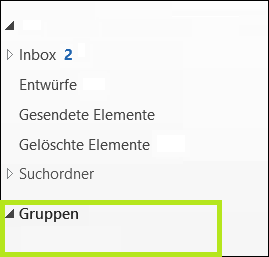
Instead of distribution lists, Outlook 2016 allows you to create groups via “New Items”. This enables smooth communication and collaboration with the respective group members, even through the Office 365 portal.
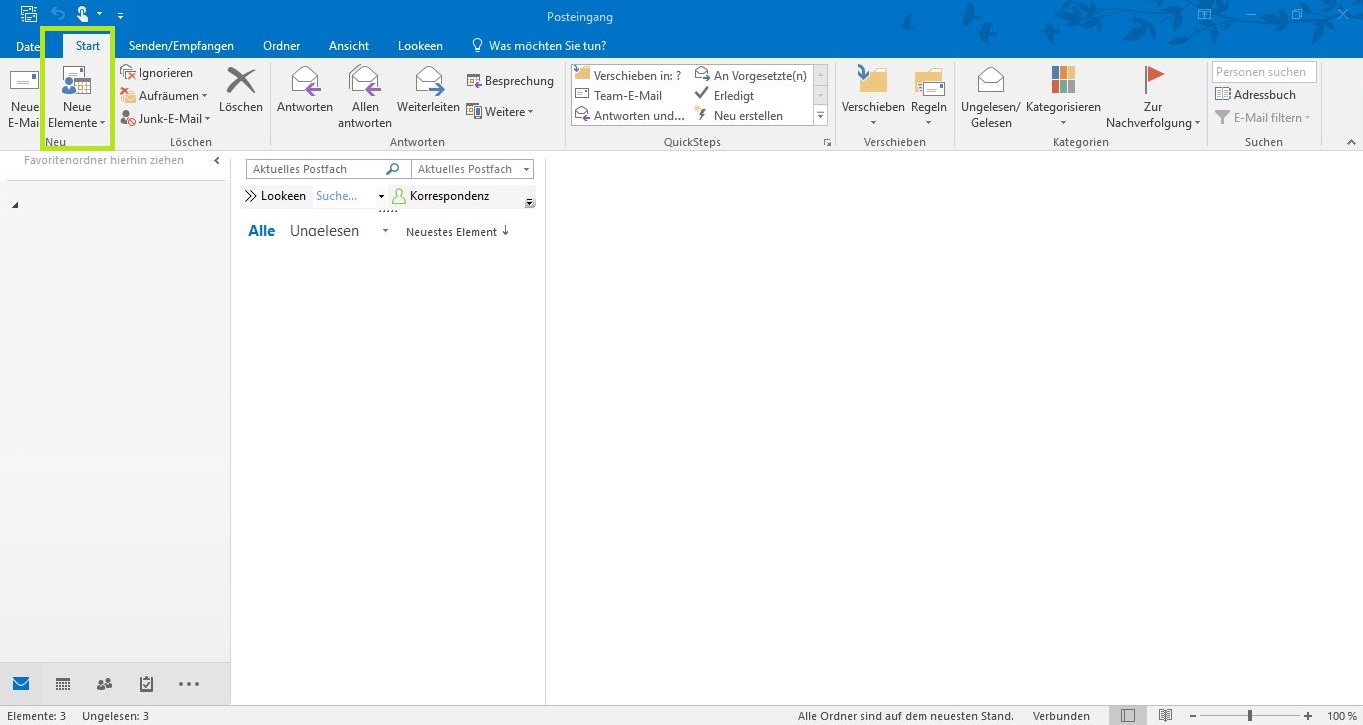
However, the new groups in Outlook 2016 offer even more advantages:
- Creating a group is easy and takes just a few clicks. You can then categorize the groups into different categories and name them individually. Additionally, you can set each group as “private” or “public”.
- Outlook 2016 groups allow for various group-specific settings, including whether emails for the group are delivered to individual inboxes or can only be read in a shared inbox.
- Furthermore, every Outlook 2016 group displays the complete email conversation that has taken place so far. You also have the option to “like” group messages to ensure quick communication, should a written reply not be strictly necessary.
- Creating individual team events and meetings rounds out the capabilities of the new group features in Outlook 2016.
Outlook 2016 Search
Another new feature in Outlook 2016 is the improved search. It provides person and keyword suggestions based on the contents of your mailbox. As you type in the search field, Outlook already suggests possible search results. This not only makes searching easier but also helps you quickly find emails and files on your PC or in your mailboxes.
The New “Clutter” Feature
The “Clutter” feature in Outlook 2016 helps you move low-priority emails from your inbox to “Unimportant Items”. “Clutter” learns from your behavior when moving messages and applies these “rules” to future, presumably unimportant messages. Fewer unimportant messages in the inbox also means you have a better overview of your important emails.
“At Your Service”
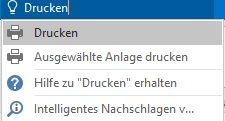
This new feature helps you find various features and help topics in Outlook 2016. In the ribbon field “What do you want to do?”, you can enter a question or even just a term and receive a list of assistance options. For example, if you enter the word “Print”, a list opens that naturally contains the “Print” command, but also additionally offers the option to print only selected attachments or directs you to texts that could help with the topic.
The new features of Outlook 2016 all have one thing in common: they are designed to save you time. With a little practice, you can quickly master Outlook 2016 and benefit from it.



Comments