

An Alternative to the Windows 7 Search
When Microsoft® Windows 7 was released on October 22, 2009, no one could have predicted the overwhelming success that the operating system would achieve in the following years. After its predecessor, Windows Vista, had only a mediocre reception among users, expectations were very high among developers as well, largely due to the enduring popularity of the previous predecessor, Windows XP. However, Windows 7 was destined to become a new long-term staple for Microsoft, not least because of its fundamentally redesigned user interface, improved performance, and better energy options. In summary, it can be said that ease of use, stability, and speed convinced Windows 7 users. To such an extent that even in 2016, more than half of all Windows users were still using Windows 7 as their operating system.
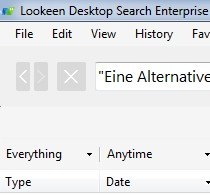
Learn how to search Windows 7 effectively and quickly!
The Rise of Alternatives to the Windows 7 Search
Despite all the positive changes that Windows 7 brought, some features could not meet user expectations. In particular, the search function, which is of special importance to many companies, failed to meet the requirements for a modern working environment. As a result, professional search solutions as alternatives to the Windows 7 search gained even greater popularity: they met the profile for modern searches. Developers of freeware such as Google Desktop Search, which was already somewhat dated at the time were either unable or unwilling to keep up.
The alternatives to the Windows 7 search were not only more efficient and faster than the built-in Windows search, but they could also adapt much more effectively to a constantly changing work environment. Professional search solutions like Lookeen search not only Outlook, but also Microsoft Exchange servers, hard drives, or file servers. While Microsoft has increasingly linked the Windows search to the internet since Windows 8, companies expect minimized security risks while maintaining full functionality when searching in virtual network environments (VDI) and in the cloud.
The Continued Use of Windows 7: Pros and Cons
The familiar user interface and very good performance are just some of the reasons why many companies still rely on Windows 7 and therefore also need alternatives to the Windows 7 search. Since Microsoft gradually ends support for older versions of Windows, many companies will inevitably have to make the switch at some point. Therefore, it makes sense to already adopt an alternative to the Windows 7 search today that runs smoothly on current operating systems.
Features of Lookeen as an Alternative to the Windows 7 Search
- Searches Microsoft Outlook and Exchange servers
- Desktop search in Windows and across the entire network
- Directly integrable into Outlook (also as a standalone plugin)
- Compatible with virtual desktop environments such as Citrix®, VMware®, and Terminal Server
- Supports all common file and image formats
- No index or data limit
- Clear presentation of search results
- Advanced search queries and filter functions
- Quick view of documents and images in the result window
- Editing documents in preview mode
- Convenient rollout across the entire company
- All data remains stored locally
- Lifetime single-user license
- Free support
- Group policies for administrators (from the Business Edition onwards)
- Shared index (from the Enterprise Edition onwards)



Comments