

Lookeen tutorials
How to install Lookeen, set up the search index and find emails and files faster, with videos and step-by-step guides.
 Different types of Search EnginesNowadays, few people can imagine their life without search engines. They’ve become a necessity in our daily life. The search engine Google has become so ubiquitous, we don’t…
 Public Folders: How to Fix Search Issues in OutlookOutlook search is one of the most important tools in the Outlook ecosystem. It locates your emails, documents, calendar entries, and also data from public folders. To be…
 The Different Types of Search EnginesIn today’s era, search engines are indispensable. They assist us in our daily research and continuously feed us with new information. The market leader among search engines is…
 Lookeen 12 is Now Available!After almost five years of hard work, we are proud to announce the official release of the 12th version of Lookeen.
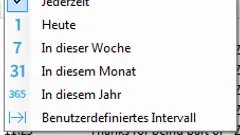 Too many search results in Lookeen? – Here's what you can do about itIt often happens that a search query yields a large number of results or requires searching through an excessively high volume of emails. However, since this would result…
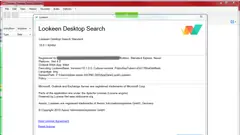 How to Use Lookeen as a Desktop AppMost users know Lookeen primarily as an add in for Microsoft Outlook. However, there is also the option to use Lookeen as a desktop variant. The best part…
 Video: Three Outlook Tips with Lookeen’s Advanced SearchUse Lookeen to significantly narrow down your search results to the few best options using advanced search filters, even when you don’t know much about the email you’re…
 Video Tutorial: Tips for a Faster Outlook Search Thanks to LookeenNarrow down your search results to precise matches thanks to Lookeen's advanced search filters. This way, you can even find emails about which you have little information. In…
 Video Tutorial: How to Customize Lookeen Options to Your NeedsThis video explains how to optimally customize Lookeen to your personal search style. The video takes a detailed look at the most important settings for daily use: When…
Getting started
Download, install and choose what Lookeen should index. The current version and its features are on the Desktop Search page.
- Video: How to Download and Install Lookeen
- Video: How to Set Up & Expand Your Search Index
- Video: How to Customize Lookeen Options
- How to Use Lookeen as a Desktop App
Searching with Lookeen
Filters, file types and search commands narrow a search down to the one result you need.
- Video: How To Use Lookeen For Outlook Search
- Video: How To Use Lookeen For Desktop Search
- How To Search by File Type with Lookeen
- Too many search results in Lookeen? – Here's what you can do about it
- Video: Three Outlook Tips with Lookeen’s Advanced Search
Frequently asked questions
Where can I find the Lookeen manual?
Help for the current version is linked on the Support page. The tutorials here show individual tasks step by step.