

Change Windows 10 Search from Bing to Google
If you have just taken advantage of the free upgrade to Windows 10 (until July 29, 2016), you may have noticed some changes compared to your previous version. Alongside a redesigned interface, Windows 10 Search relies on even stronger integration of web content based on a persistent internet connection. This is particularly evident in the new intelligent desktop and web search Cortana.
Microsoft relies as usual on pre-installing its own products. This means Microsoft does not give you the choice of whether to change your Windows web search engine to Google. During the installation of Windows 10, the new Microsoft browser Edge is automatically set as the default browser. Since Edge uses the Microsoft search engine Bing (formerly Windows Live Search), Cortana also uses Bing as its default search engine.
Perhaps you have already been using Windows 10 for some time and the Bing search engine has become a thorn in your side. The Windows 10 Search feature, in particular, repeatedly gives users reason for controversy. Until a few months ago, it was easily possible to change the default search engine of Windows 10 to Google. Microsoft quickly blocked this option by pointing to the better “personal search experience” and Cortana’s lack of synergy with other browsers and search engines.
After the Windows Anniversary Update
After the Anniversary Update for Windows 10, it has also become more complicated to disable Cortana. Depending on whether you use Windows Home or Windows Pro, you will need to use different approaches if you do not wish to use web search. You can find the corresponding article here: Disable Cortana under Windows 10 after the Anniversary Update
For users who do not use Edge as their default browser or Bing as their internet search engine, this development results in an unnecessary disruption of familiar workflows. After all, after a search query, the user does not end up in their “own” browser and search with their “own” search engine, but rather in Edge and on Bing.
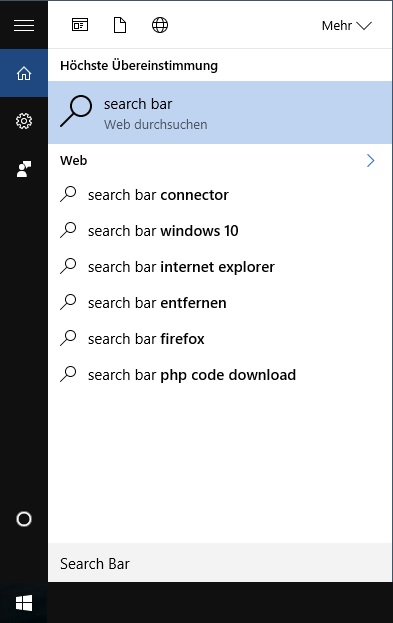
Change Your Search to Google with the Search Bar Connector
Those who are not keen on this can, as already mentioned, either disable Cortana or use a Windows 10 app that simply redirects your search query to your default browser. The Windows 10 app Search Bar Connector allows you to keep your familiar search environment in Windows 10 and with Cortana, and it is completely free of charge. Through this slight detour, you can still indirectly change your search engine to Google. For this, you only need the login credentials for your Microsoft account. Unfortunately, you cannot download the app from the Store using your local account.
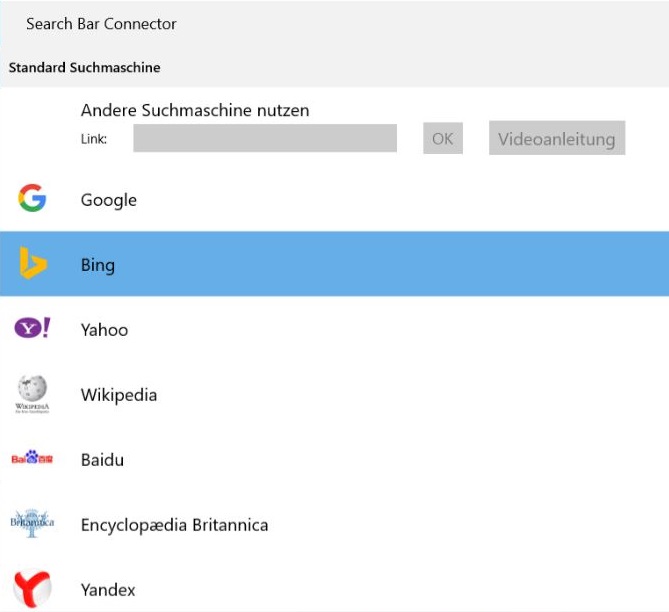
After you have installed the tool, the Search Bar Connector redirects every search query from Cortana to your default browser within milliseconds. To do this, you only need to replace the entry for “Microsoft Edge” with “Search Bar Connector” under “Settings” – “System” – “Default apps” – “Default apps by protocol”. The app, which is rated an average of five stars, also expands your web search with various search shortcuts. For example, if you prefix your search query with “wik.”, the Search Bar Connector will directly search Wikipedia for the corresponding term.



Comments