

Outlook: Categorize and organize emails – here's how it works
Using Outlook categories makes it much easier to organize emails. In this blog post, you’ll learn how to categorize your emails.
Organize Outlook with Categories
Step 1: Launch Outlook.
Step 2: Go to the Inbox. Hold down the CTRL key and select the e-mails you want to organize using categories.
Step 3: Right-click. You can now assign a desired category to the e-mails.
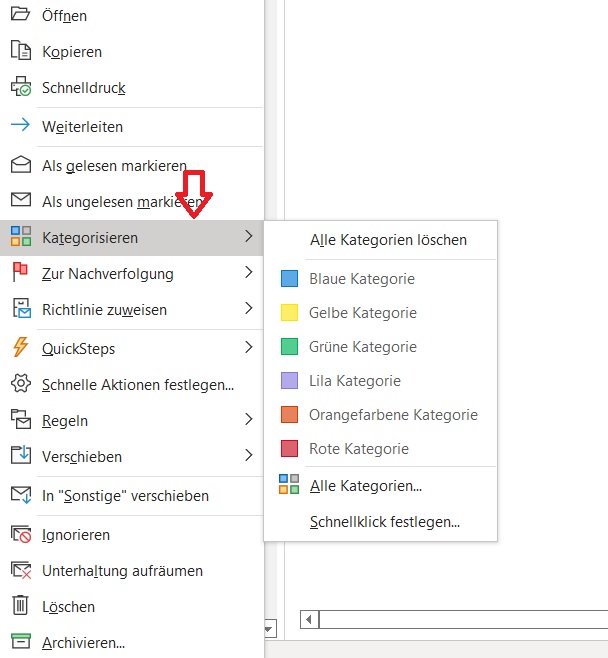
Categories make it easier to organize e-mails in Outlook. You can also keep your mailbox empty and organized using the Inbox Zero strategy. Click here for the relevant blog post.
Moving e-mails into folders can also help create a good structure in your mailbox. Click here for the relevant guide.
I hope I could help you categorize and organize your e-mails in Outlook.
See you soon!
With Lookeen, you can find every category and e-mail in Outlook!



Comments