

Undo Windows 10 Upgrade
If you decided to upgrade to Windows 10 for free within the last 30 days or plan to install Windows 10 for testing purposes, you have the option to undo the Windows 10 upgrade within a trial month. Unlike downloading and installing Windows 10, performing a downgrade is quick. Even if you find that you no longer like the latest version of Windows after the trial period has expired, you can return to your previous Windows version by reinstalling it. While your data remains intact when undoing the Windows 10 upgrade, you must back up all data during a fresh installation. However, since this is generally recommended, this method does not involve significantly more steps.
Undo the Windows 10 Upgrade Within One Month
-
Open the Windows Start menu by clicking the Windows icon in the bottom-left corner of your screen.
-
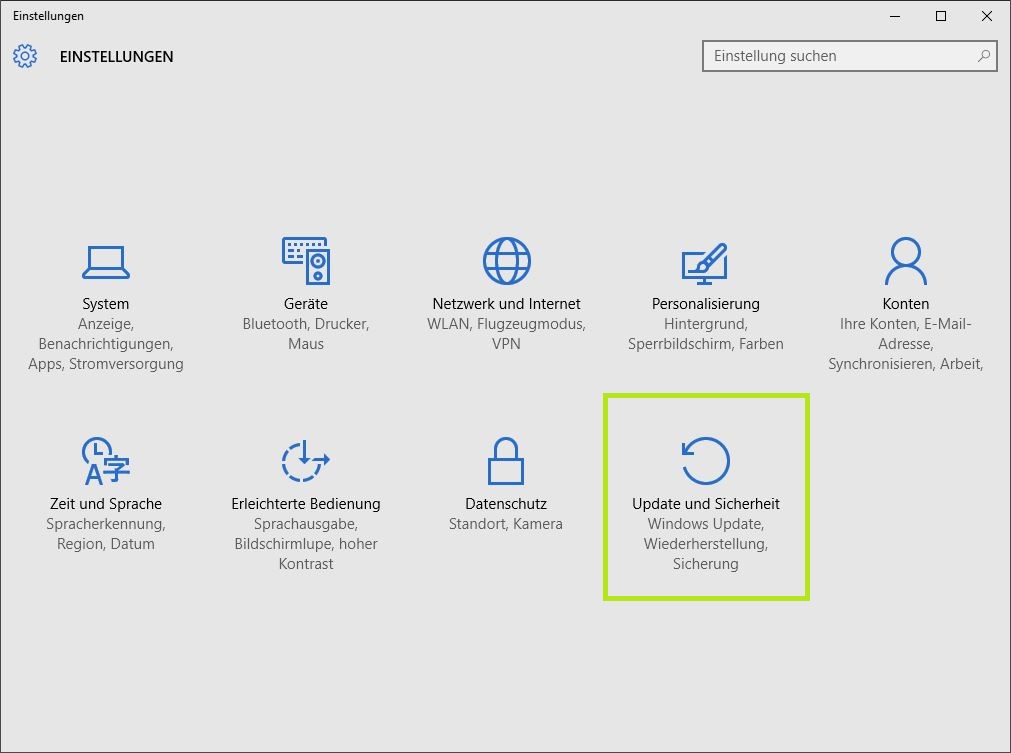
Select „Settings“ there to open the identically named window.
-
Under the „Updates & Security“ section, you will already see our goal: Recovery. Click the icon to navigate to the corresponding window.
-
Select the sub-item „Recovery“. Here, depending on your previous version, you must click on „Go back to Windows 8.1“ or „Go back to Windows 7“.
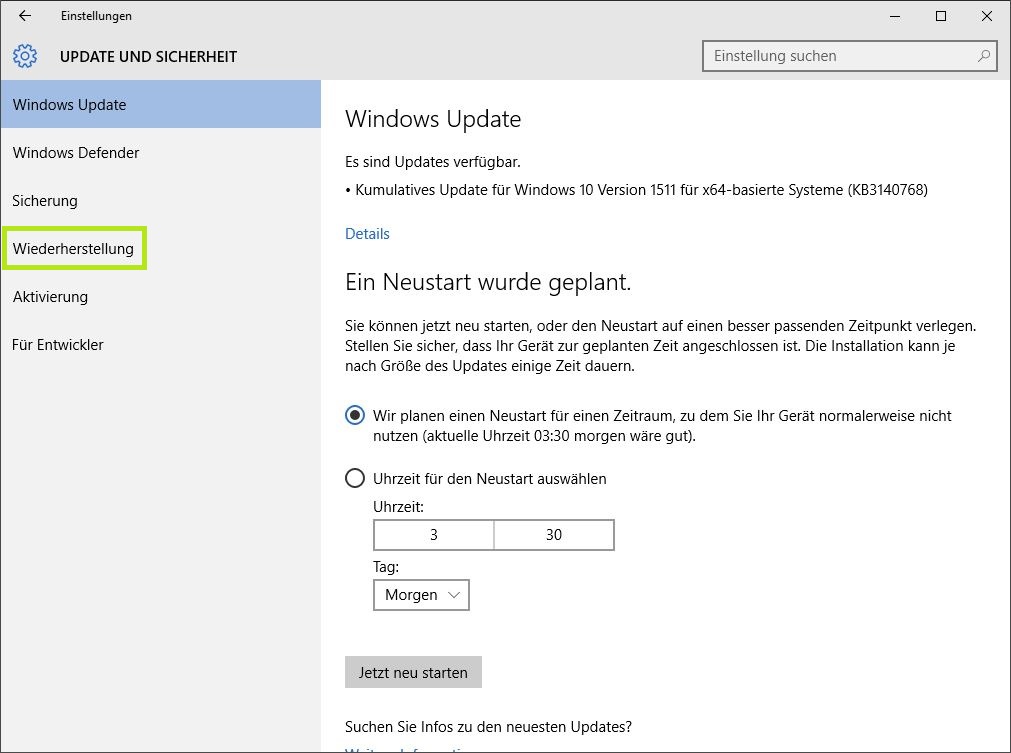
- Start the process by clicking „Get started“. Follow the instructions to undo your Windows 10 upgrade.
Undo the Windows Upgrade After the Trial Month
As already mentioned, you have no other choice in this situation than to reinstall your previous Windows using your old product key. Do not forget to back up your personal data before the reinstallation.
-
Insert the DVD of your old operating system into your drive and completely reinstall Windows according to the instructions.
-
If you no longer have the DVD of your old operating system, you can also download the required ISO file from the Microsoft homepage and use the Media Creation Tool (media creation tool) to put it on a USB flash drive or a DVD. Installation is then possible using these bootable media. You can download the tool for Windows 7 and for Windows 8.1 here.
-
For the installation, you need a working Windows product key. This is usually located on the case or in the accompanying booklet for your Windows DVD. If you no longer possess these, due to the release of Windows 10, prices for Windows 7 and Windows 8.1 product keys have dropped significantly in recent months. A price comparison, especially in the area of online product keys, is definitely worthwhile.



Comments