

Outlook tips and tutorials
Step-by-step guides for Microsoft Outlook: searching and finding emails, keeping the inbox in order, calendars, attachments and fixes for the most common problems.
 How to Master the Features of Your Outlook CalendarNow that you already know how to create an additional calendar in Outlook created, you should familiarize yourself more closely with its features. If you follow our tips…
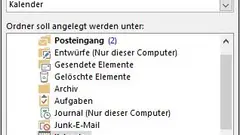 How to Create an Additional Calendar in OutlookYour workday likely also begins with coffee, reading your emails, and taking a look at your calendar. Always keeping track of appointments for the coming days and weeks…
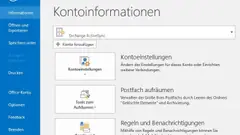 Set up an email account in OutlookDo you want to use Outlook as your primary email program? To do so, you must first add an email account to Outlook. This can usually be done…
 Save E-Mails in Outlook as PDFMany documents are now saved as PDF files. This has many advantages, not least because they can be better protected than other text documents. Additionally, the format can…
 How To Fix Windows 10 Desktop Search ProblemsYou probably thought when you updated Windows to the new and improved Windows 10 that your system would seamlessly switch over, and everything would work properly. It probably…
 The New Features of Outlook 2016In Outlook 2013, it is likely that no one can fool you anymore. You certainly know all the positive and negative aspects of the software and can easily…
 Outlook: Block Senders – Here's HowDigital correspondence has opened many doors in global communication. Nowadays, using email for daily correspondence with customers and even in the private sphere is almost indispensable. Nevertheless, it…
 Issues with the Outlook 2016 SearchA new version of Outlook does not always mean new problems. Nevertheless, it has become clear in recent years that new features often bring new difficulties that must…
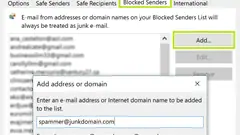 How to Block a Sender in OutlookEmail has opened so many doors of communication for the world. You probably use it daily in your professional and personal life—receiving emails that vary from the welcome…