

Outlook tips and tutorials
Step-by-step guides for Microsoft Outlook: searching and finding emails, keeping the inbox in order, calendars, attachments and fixes for the most common problems.
 Delegating Made Easy: Outlook – Assign Tasks to ContactsOutlook has you covered: You can easily assign tasks to other people from your contacts. The delegated tasks will then appear on the respective person's contact card.
 Find Emails on Terminal ServerTerminal servers are now more widely known than cloud computing and have become standard in large enterprises. The terminal server makes it possible for data processing and storage…
 Changing Public Folders in Office 2013Since the publication of the Office and therefore Exchange Server 2007, Microsoft has discussed whether it would allow the Public Folder to entirely disappear from the scene. Now…
 How to Delegate TasksIf you have a task that you would like another person to complete, you can create this task in your Outlook and assign it to another person.
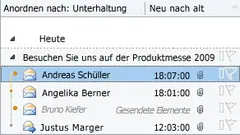 How to Keep Emails Organized Using Conversation ViewWith Outlook 2010, another way was introduced to keep the inbox tidy: the Conversation View. You may have already noticed that emails in Outlook 2010 are not only…
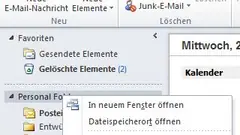 How to Find Out the Size of Your MailboxTo be able to clean up and know when emails absolutely must be deleted quickly, it is very helpful to know the size of your own mailbox. How…
 How to Let Outlook Sort Your Mail (Part 4)How to Have Outlook Sort Your Mail (Part 4) Go here for:
 How to Let Outlook Sort Your Mail (Part 3)Now that you have gotten an overview of the basic functionality of rules in the previous articles (see Part 1 and Part 2), today you will learn how…
 How to Avoid Web Bugs in OutlookYou probably already know about problems with viruses, but there are other dangers of the Internet, where just receiving emails can expose you. A great danger are so…