

Windows tips and tutorials
Guides for Windows 10 and 11: finding files, using and repairing Windows Search, the search index, keyboard shortcuts and everyday tasks.
 Save E-Mails in Outlook as PDFMany documents are now saved as PDF files. This has many advantages, not least because they can be better protected than other text documents. Additionally, the format can…
 Windows 10: Change Cortana's Default Search Engine or Default BrowserDuring the installation of Windows 10, the new Microsoft browser Edge is automatically activated as the default browser. Additionally, the new Windows Search sets Bing as the default…
 Windows 10 Search: Disable CortanaIn Windows 10, Microsoft has once again expanded the functionality of the classic Windows search by adding several important features. Among these changes, the Cortana search assistant was…
 How to Create a Bootable USB Stick for WindowsIncreasingly larger storage capacities due to ever smaller devices have made optical drives nearly obsolete in recent years. It is therefore no surprise that Windows 10 can be…
 How To Enable Search on Windows ServersThe Windows Server is a series of server operating systems that are developed by Microsoft. Essentially the Windows Server is a more powerful version of the desktop operating…
 Undo Windows 10 UpgradeIf you decided to upgrade to Windows 10 for free within the last 30 days or plan to install Windows 10 for testing purposes, you have the option…
 How Desktop Search Works in Windows 8Generally, desktop search is an easy to use standard tool in Windows. However, many questions arise due to the changes Microsoft introduced with the Windows 8 desktop search…
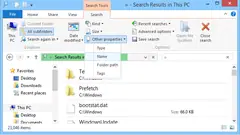 How To Use Windows 8 Desktop SearchDesktop Search is one of Microsoft Windows most useful and productivity boosting tools. You have probably been using it for years now. If you are just starting use…
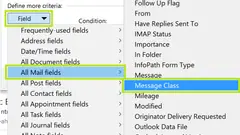 How to Index and Search Encrypted Files and EmailsEncrypted files and emails are used as an extra security measure, most likely when you are using a computer for work or any kind of business communication. The…