

Lookeen features and releases
What Lookeen can do and how it got there: desktop and enterprise search, indexing explained, and the release notes of earlier versions.
 What is Index / Indexing – Explained SimplyAn index in computer and internet terminology is a type of library of files designed to accelerate the search for those files. In such an index, large amounts…
 What is a Desktop Search Engine and How Does It Work Best?Believe it or not: As a PC owner, you have certainly used a desktop search engine before. Whether at work or at home, sometimes we simply forget where…
 Tips to use the most important Outlook search commandsIf you’re anything like me, chances are high that you experience the overwhelming feeling of thousands of emails flooding your inbox on a regular basis. Want to remind…
 Outlook No Longer Starts – Here's How to Get It Working AgainIs your Outlook no longer working or unreachable? There can be various reasons for this. When issues arise with Outlook, the email program often fails to start or…
 Lookeen 12 is Now Available!After almost five years of hard work, we are proud to announce the official release of the 12th version of Lookeen.
 Too many search results in Lookeen? – Here's what you can do about itIt often happens that a search query yields a large number of results or requires searching through an excessively high volume of emails. However, since this would result…
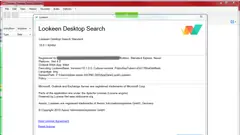 How to Use Lookeen as a Desktop AppMost users know Lookeen primarily as an add in for Microsoft Outlook. However, there is also the option to use Lookeen as a desktop variant. The best part…
 What is Full Text Search?Full text search is an important tool and search technique that can search a single document or a whole collection within a full text database. It can implement…
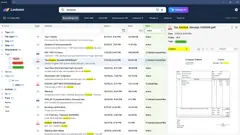 What is a Computer Search EngineYou have most likely used a PC search engine more than once in your life, especially at work. When you need to find a file or document on…
How desktop search works
A desktop search engine reads your files and emails once, stores what it finds in an index and answers every search from there. These posts explain the idea, and why an index is so much faster than searching file by file.
- What is a Desktop Search Engine and How Does It Work Best?
- What is Index / Indexing – Explained Simply
- What is Full Text Search?
- Indexed vs. Unindexed Search
- Tips to use the most important Outlook search commands
Lookeen in companies
Searching Exchange, public folders and PST files across a network, and on terminal servers and Citrix. Today's offering for companies is Lookeen Server.
- Lookeen: Search on the Exchange Server Made Easy
- Search PST files efficiently
- Outlook Search in Citrix: Lookeen Provides a Solution
- Enterprise Search Solution for Complex Environments
Releases over the years
From the first beta in 2007 to Lookeen 12: the announcements of earlier versions. What is new in the current version is in the changelog.